


4News -> Company

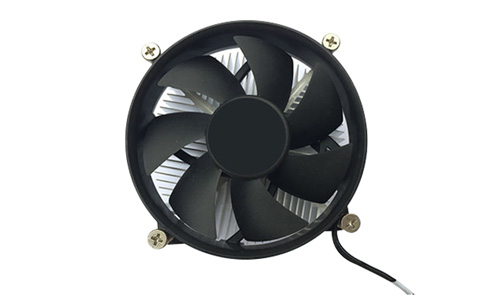
All-in-One PC Fan is the core heat dissipation component inside the all-in-one desktop, responsible for cooling key hardware such as CPU and GPU to avoid overheating-induced frequency throttling or system crashes.
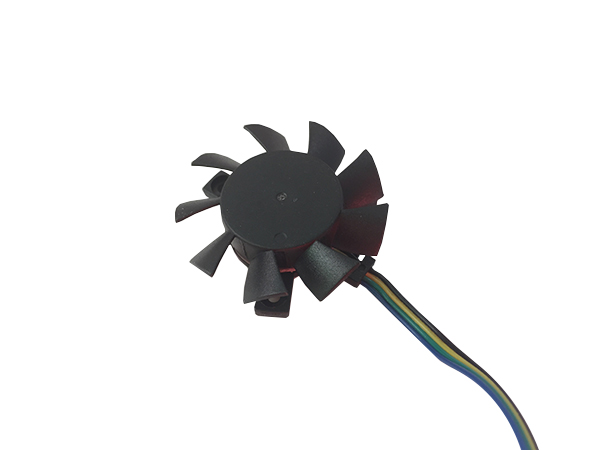

​All-in-One PC Fan

The following guide will teach you how to determine if your all-in-one PC fan needs replacement: 1. Listen for abnormal noises - Humming / clicking / scraping sounds: The fan bearing is damaged or the blades are deformed. The noise occurs right after startup and gets louder as the fan spins. - Unstable rotational speed with intermittent abnormal noises: The motor is aging or the power supply is unstable. - No sound at all but the computer is extremely hot: The fan is seized and stops rotating completely. 2. Check the temperature by touch - The back / side of the device is noticeably hot - CPU temperature stays at ≥80℃ for a long time - Severe overheating even when watching videos or browsing webpages → 90% of the cases are caused by the fan not spinning or operating at insufficient speed. 3. Observe system performance - The computer becomes noticeably laggy with frequency throttling - Frequent automatic restarts, system crashes, or blue screens of death - Overheating and lagging the moment you launch any software → The heat dissipation system fails, triggering the CPU overheating protection mechanism. 4. Inspect the fan itself (after disassembling the device) - Fan blades are broken or deformed - The shaft shows oil leakage, discoloration to black, or dry lubrication failure - Manual rotation test: The fan cannot spin, gets stuck, or rebounds slowly after being flicked → Replacement is mandatory. 5. Power-on test After powering on the device: - The fan does not spin at all - The fan spins for a moment then stops repeatedly - The fan operates at an extremely low speed → Directly replace the fan with a new one. 6. Judge by service time The typical service life of an all-in-one PC fan is 2 to 3 years - The fan has been used for more than 3 years - The device often runs under high load or is exposed to heavy dust accumulation → Even if the fan is not malfunctioning, preventive replacement is recommended.